

WeTV
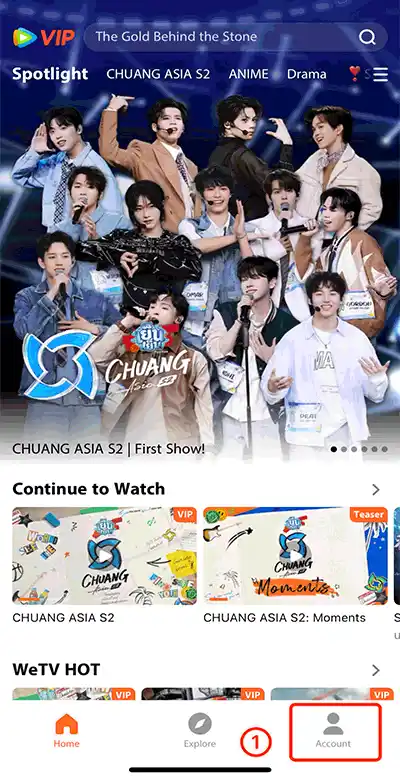
Make Sure your WeTV ID is correct! Click on [Account]-[Settings]-[Account]-[WeTV ID] to get your WeTV ID.
About this game
How to purchase WeTV VIP?
Select the VIP package.
Enter your WeTV ID as UID.
Click the “Buy Now” button and Choose your payment method
Once the payment is made, the VIP package your purchased will be credited to your account shortly.
After purchasing a membership, the system will provide the corresponding number of votes to the WeTV ID you filled in, based on the package and quantity you purchased. You need to use your Topuplive votes to cast your votes on the WeTV app or the WeTV voting page.
In addition, you will enjoy the benefit of double free voting opportunities every day, but the free voting opportunities will not stack with multiple purchases. If you purchase an annual VIP, you will also receive an additional 5% of the vote count when Send Gift for the CHUANG ASIA S2 event.
Please note that there are no refunds available once you have purchased successfully. Please double check before the payment.
How to find WeTV ID?
Use your account to login in to WeTV
After login, click "Account" on your bottom right
Next, click Settings > Account.
Your WeTV ID will be displayed.
Customer Reviews
No reviews yet. Be the first to share your experience!
Order Summary
Select an amount to continue